Find a Home... Together
Save listing links, vote, rank, share notes, and turn chaos into a shared shortlist.
Free to use • iOS
How It Works
Save Listings
Paste a link from any major real estate site, or share directly from Safari or apps.
Vote, Rank & Compare
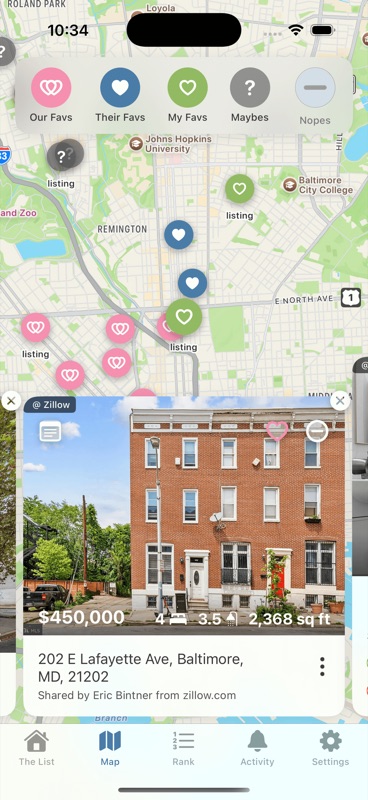
Each person marks listings as Fav, Maybe, or Nope. No pressure, just honest reactions.
See Your Shortlist
Mutual favorites rise to the top. Nopes get cleared out. Decisions become obvious.
See It In Action
A quick walkthrough of how couples use HomeColab to find their next home — together.
One Shared List
Stop texting links back and forth. Paste listings from any major site (Zillow, Redfin, etc.) into your shared space to see everything in one clean, unified view.
Everything You Need
Simple tools to help you and your partner find home faster.
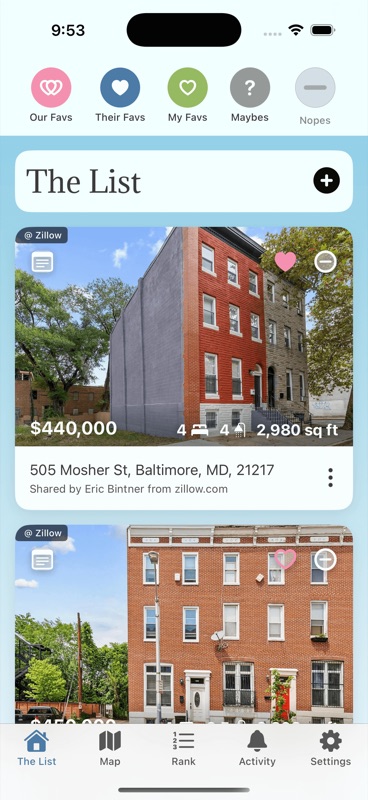
The Big List
All your listings in one place,
Paste links from Zillow, Redfin, Apartments.com, or any real estate site. HomeColab keeps everything organized so nothing gets lost.
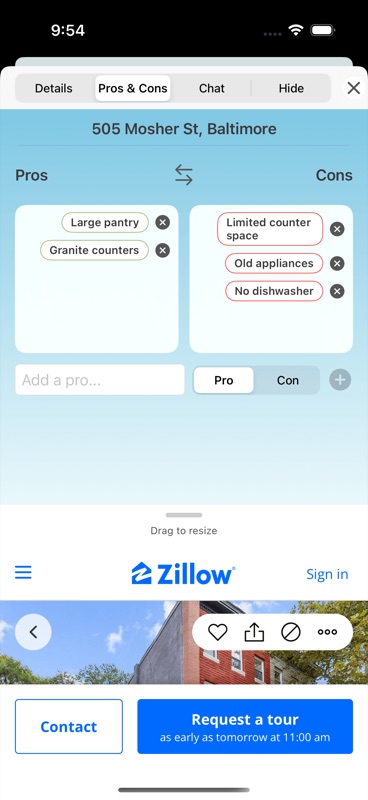
Votes & Notes
Fav, Maybe, or Nope
Love it or nope it. HomeColab lists your mutual favorites and filters out the places you both passed on.
Rank & Compare
Drag to reorder
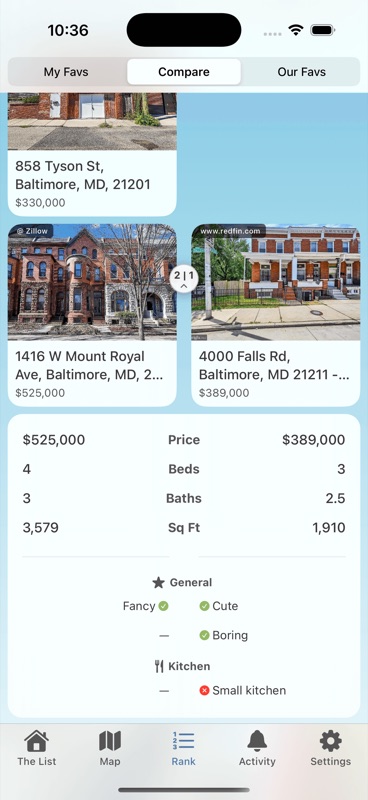
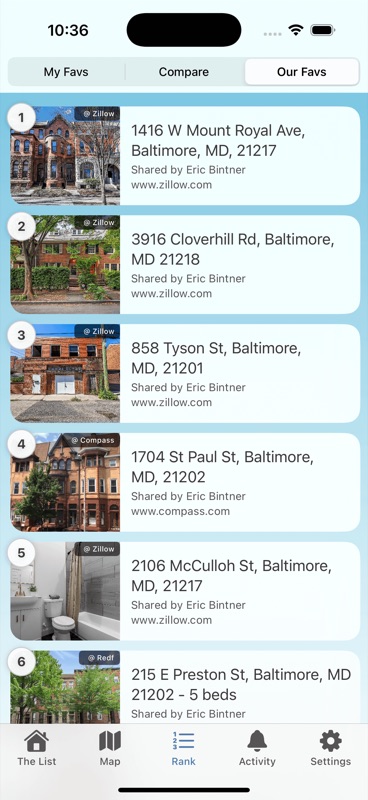
Drag to rank your shortlist. See how your rankings compare with your partner's and find the homes you both love most.
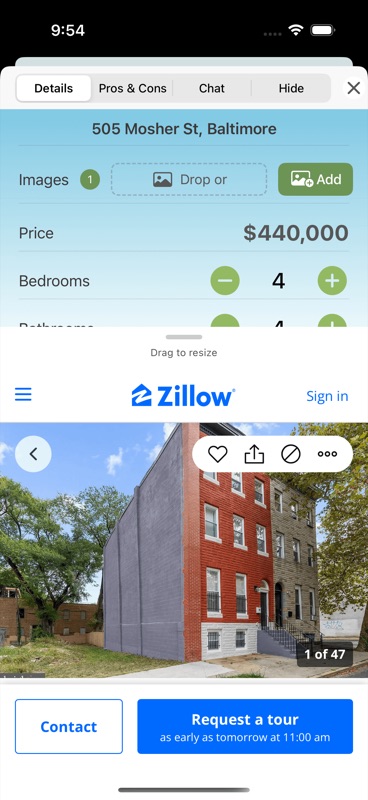
Quick Add
Add from any app
Use iOS share to add listings directly from Safari, Zillow, or any real estate app without copy-pasting.
Questions?
Ready to Decide Together?
Download HomeColab and turn your home search into a shared shortlist.
Download on the App Store